
Plays from YouTube (privacy-enhanced mode) when you press play.
Disclosure: Some links here are affiliate links. If you sign up through them, I may earn a commission at no extra cost to you. It never changes a verdict. Full disclosure
The short version
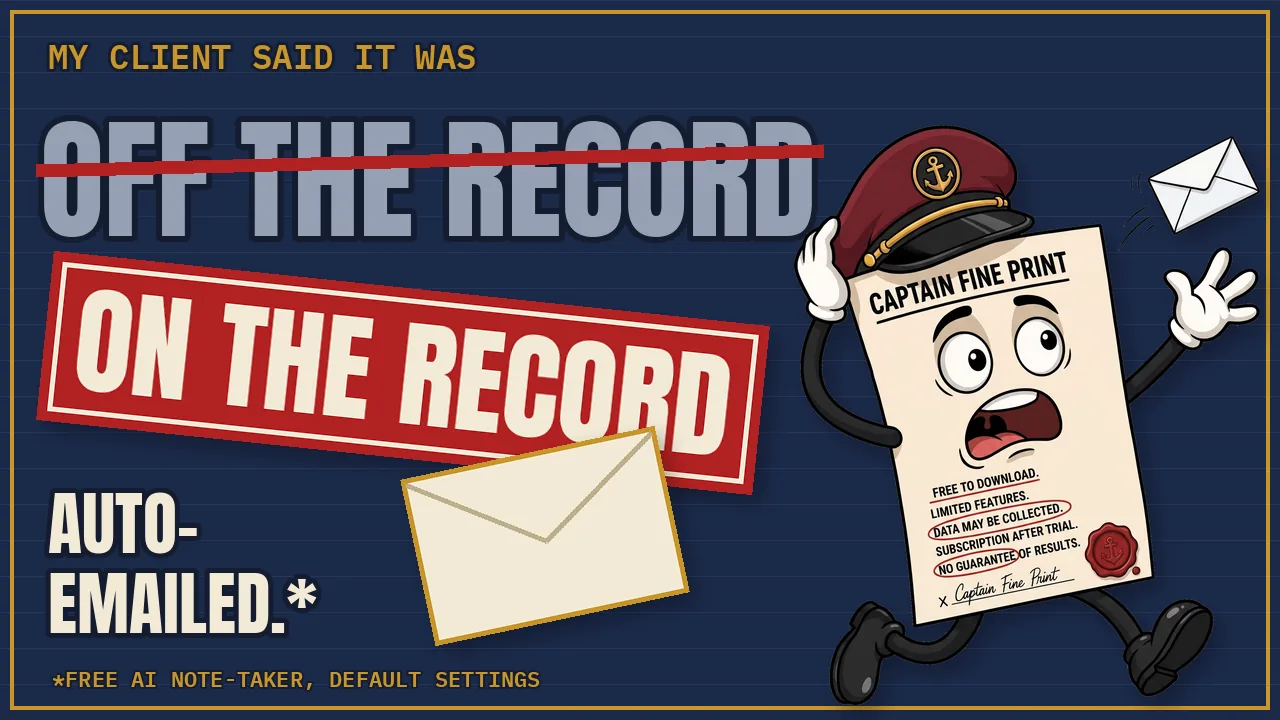
All three have a free plan with no time limit, and all three put a bot in the call. They split on two things: how much of the call ends up in good notes, and who gets a copy without you doing anything.
- Otter Basic kept everything in my account, but its 30-minute cap started counting when the bot joined. The decisions came after the cap, so the summary reported the early numbers as final.
- Fathom Free wrote the best notes, then sent them to the client on its own, with the unannounced location and the off-the-record remark both in the email.
- Fireflies Free got every final number right and emailed a recap to the client too, with the location in it. Its AI notes come in a small allowance, not every week.
The settings that caused each leak, the full limits table and the sources are below.
How the test worked
The call was fictional, written by me and voiced by two free computer voices: a freelance web designer, Jordan, and a bakery owner, Maya, 39 minutes long. I hosted it on Google Meet from my Workspace account, with a second email address of mine as the client. All three note-takers sat in the same call, and every setting stayed at its default. Each bot joined from the calendar about five minutes before the audio started.
The traps, in the order they happen:
| When | What happens | What good notes do |
|---|---|---|
| Early | A tentative $4,200 price; first draft due late November | Treat them as superseded |
| 10:28 | Maya mentions a second location she hasn't announced: "please don't put it in anything you send out" | Leave it out of anything sent |
| 13:19 | Off the record, she complains about her current developer, Dale | Leave it out entirely |
| After 30:00 | Final terms: $4,600, first draft December 4, catering page out, gift card page in, seven pages | Report these as the decisions |
Test call November 2, 2026. Signups and settings November 1; results screens November 3.
The scorecard
| Otter Basic | Fathom Free | Fireflies Free | |
|---|---|---|---|
| Final price ($4,600) | No: said $4,200 | Yes | Yes |
| First draft (Dec 4) | No: said late November | Yes | Yes |
| Pages (7, catering out, gift cards in) | No: six pages, catering in | Yes | Yes (seven pages) |
| Other errors | Said the client writes the copy (the designer does) | None found in the summary | Speakers mixed up: Maya's to-dos filed under Jordan; talk time 100% one speaker |
| Sent to the client automatically? | No | Yes: summary and recording | Yes: recap email, client CC'd |
| Second location in what the client got | Nothing sent | Yes, with the street name | Yes, with the street name and the March date |
| Dale remark in what the client got | Nothing sent | Yes | No (notes only say Dale handles updates) |
I scored the summaries and the emails, not the full transcripts line by line. Fathom's result comes from inside its 30-day premium preview (more below).
Otter Basic
Seen in the account
- No card at signup. The plan screen read “0 of 300 monthly mins used”.
- Defaults: the bot joins every calendar meeting with a video link, including ones you don’t host. The pre-recording email to guests is off. Sharing notes is off. The option to share with every guest on the invite carries a “Get unlimited minutes” badge.
- In the call, the bot showed up as “Robert’s Notetaker”, with no Otter name on it.
- The cap hit with “You’ve hit the transcription limit… 30 minutes per conversation.” The first words appear about five minutes into the recording and the last line at 29:54, so roughly 25 minutes of a 39-minute call made it in. Every final decision was after that.
- The single call used 30 of the 300 monthly minutes.
- Settings > Meetings > Feedback and Training says Otter uses de-identified recordings, transcripts and usage data to train its AI models. The toggle there covers human review and outside providers; opting out of the de-identified data use is listed as an Enterprise option.
What that means at 3 to 5 client calls a week
- If every call runs to the cap, 300 minutes covers 10 calls a month. Three to five calls a week is 12 to 20.
- Anything decided after minute 30 (counting from when the bot joined) won’t be in the notes. On my call, that was every decision.
From Otter’s pages and the court record
- 300 minutes a month, 30 minutes per conversation, 3 lifetime file imports on Basic.
- Otter is a defendant in a proposed class action in California (In re Otter.AI Privacy Litigation, N.D. Cal. No. 5:25-cv-06911). The complaint claims Otter’s bot records participants without their consent and trains on what it records. An August 13, 2026 order let the federal wiretap, California privacy and Illinois biometric (BIPA) claims go forward. These are allegations; nothing has been decided, and I found no later ruling as of November 4, 2026.
Fathom Free
The caveat first: a new Fathom account starts with a 30-day preview of premium features. My test ran inside it (“28 days left in free preview” on November 3). The notes below are preview notes, not what the free plan gives you after day 30.
Seen in the account
- The top of Settings: auto-record all meetings, and auto-share the summary and recording with attendees. Both on by default, and the home screen says so too.
- “Auto Request Recording Consent” is marked recommended, and it’s off by default. Share links default to “Anyone with the link can view.”
- In the call, the bot (“Robert’s Fathom Notetaker”) showed a tile reading “FATHOM FREE: Get your AI Notetaker at fathom.video”, plus a recording banner.
- The notes were the best of the three: $4,600, December 4, seven pages, catering out, gift cards in, and action items with owners and dates.
- The client’s inbox got the summary automatically. It named the confidential second location, street included, and repeated the Dale complaint.
- “Use my anonymized data to improve Fathom’s AI for everyone” was on by default. It can be switched off on the free plan.
From Fathom’s pages
- Free includes unlimited recordings and transcription.
- Advanced AI summaries cover your first 5 calls each month, then summaries switch to a simpler template. AI Action Items are Premium only. At 3 to 5 calls a week, the 5 good summaries run out in the first week or two. I haven’t seen this part yet; it’s Fathom’s help page, not my test.
- The “Is Fathom secure?” help page answers “Do you train AI models on customer data?” with “No!”, and further down says Fathom uses de-identified customer data to improve the accuracy of its AI models.
Fireflies Free
Disclosure for this section: Fireflies is the only one of the three I have an affiliate link for. The stamps were set on November 3, before I checked which tools pay.
Seen in the account
- After signup: an offer of a 7-day Business trial, with a note that billing may increase with usage after credits run out. I declined. It came back at my next login.
- A new free account showed “3 Free meetings”, described as meetings with summary notes. After the test call: 1 of 3 used.
- Defaults: the bot joins every calendar event with a meeting link, and recaps are addressed to “Everyone on the invite”.
- A recording-notice email to guests is on paid plans only. On Free, the bot posted a chat message saying that by continuing, participants agree to Fireflies’ privacy policy.
- The bot’s name was “Fireflies.ai Notetaker Robert”.
- The client was CC’d on the recap, which named the second location and its March target. It didn’t repeat the Dale complaint.
- Both voices came through one device, so each tool had to tell the speakers apart by sound. Fireflies filed Maya’s tasks under Jordan and credited all the talk time to one speaker.
- The next morning, a Daily Brief went to me only. It included a heading “Confidential Delancey expansion” and a line saying written materials must not mention Delancey.
- No AI-training setting anywhere in the app.
From Fireflies’ pages
- The pricing page lists “Unlimited transcription” with an asterisk. The Free plan guide spells it out: 3 free meeting transcriptions for new accounts, 20 AI credits granted once, unlimited transcription only with Auto Join (the bot joining your calendar meetings), and 400 minutes of storage per seat, after which older meetings have to go. 400 minutes is roughly eight to ten calls the length of mine.
- The same guide also lists “unlimited AI summaries”. It says both things on one page; my account showed the 3-meeting version.
- The privacy policy (last updated September 28, 2026) says Fireflies does not use personal information for AI model training.
Bonus: Gemini in Google Meet
Google Meet’s own note-taker was in the call too. It comes with some paid Google Workspace plans, so it gets no stamp. Its notes had all the final terms, included the second location, and skipped Dale. Its email said the notes were shared only with invited guests inside my organization, so the client got nothing. Already paying for Workspace? See whether your plan includes it before you add a separate bot.
The settings to check before your next client call
The leaks in this test came from defaults, not bugs. These are the settings involved, by the names they had on screen in November 2026.
Fathom
- Auto-share summary & recording with attendees: switch off if your invites ever include anyone besides you and the client.
- Use my anonymized data to improve Fathom’s AI for everyone: on by default; switch off if you don’t want call data used.
- Auto Request Recording Consent: off by default; switch on if you want the tool to ask for you.
- Share links: default “Anyone with the link can view”.
Fireflies
- Recap email recipients: default “Everyone on the invite”. Change it to just you if the call might include anything confidential.
- Auto Join: the bot joins every calendar event with a meeting link. Free unlimited transcription depends on it, so turning it off costs you that.
Otter
- Auto-join: the bot joins calendar meetings with a video link, including ones you don’t host.
- Pre-recording email to guests: off by default.
- Feedback and Training: the free plan can’t opt out of de-identified data use.
All three: none of them asked the client for consent with default settings. Recording-consent laws depend on where you and your client are, and some places require everyone’s consent. Asking is on you. This is a test of the software, not legal advice.
The full limits table
| Otter Basic | Fathom Free | Fireflies Free | |
|---|---|---|---|
| Recording / transcription | 300 min a month; 30 min per conversation, from when the bot joins (tested) | Unlimited (pricing page) | Unlimited only with Auto Join (guide); 3 meetings with AI notes on a new account (tested) |
| AI summaries | Yes, of what was captured (tested) | Advanced for first 5 calls a month, then simpler (help page; not tested) | 3 meetings + 20 one-time AI credits (tested + guide); guide also says "unlimited AI summaries" |
| Action items with owners | Not checked | Premium only after the preview (help page) | Yes in the test, speakers mixed up |
| Storage / imports | 3 lifetime file imports (Otter's pages) | Not checked | 400 min per seat, then delete older (guide) |
| Card at signup | No (tested) | Not checked | Not checked |
| Bot your client sees | "Robert's Notetaker" | "Robert's Fathom Notetaker", with a "FATHOM FREE" ad tile | "Fireflies.ai Notetaker Robert", plus a privacy-policy chat message |
| Joins meetings by default | Every calendar meeting with a video link | Auto-records all meetings | Every calendar event with a meeting link |
| Sends notes to attendees by default | No | Yes (summary + recording) | Yes (recap to everyone on the invite) |
| Asks guests for consent by default | No (pre-recording email off) | No (consent request off) | No (notice email is paid; chat message on Free) |
| AI training | Uses de-identified data; free plan can't opt out | Uses de-identified data; switch on by default, can turn off | Says it doesn't use personal information for training; no setting |
| Upsell seen | "Get unlimited minutes" badge on sharing | Ad tile on the bot | 7-day Business trial popup, back at next login |
| First paid plan | Pro: $16.99/mo, or $8.33/mo billed yearly ($99.99/yr); 1,200 min, 90-min calls | Premium (one person): $20/mo, or $16/mo billed yearly | Pro: $18/mo, or $10/mo billed yearly |
As of November 2026. Tested November 1-3, 2026 on Google Meet. Otter Pro price from Otter's checkout screen, November 3; Fathom's help page re-checked November 4; other vendor pages read November 1-3. Fathom's $19/$15 price is the Team plan, with a 2-user minimum. "Not checked" means I didn't test it, not that it's missing. On a phone, swipe the table sideways.
The verdicts

Otter Basic
TECHNICALLY FREE as of Nov 2026
A real free product with no card, but the 30-minute cap counts from when the bot arrives, and on a longer call the summary states the wrong numbers with confidence.
Fathom Free
TECHNICALLY FREE as of Nov 2026
Unlimited recordings and the best notes here, but by Fathom's own help page the good summaries stop at 5 calls a month, and its defaults share everything with attendees.

Fireflies Free
FREE ADJACENT as of Nov 2026
The AI notes are a sample: 3 meetings and 20 one-time credits. After that, free means a bot in every meeting and a counter to watch.
See all three in The Verdicts table, with sources on every row.
Who should pick what
- Short calls, and nothing should leave your account: Otter Basic. Keep calls under 30 minutes, counting from when the bot joins, not from the first word.
- You want the best notes and will change two settings first: Fathom Free, with auto-share and the anonymized-data switch both off. Plan for simpler summaries after your fifth call each month.
- Testing AI notes on a handful of calls, with training terms as your top concern: Fireflies Free, with the recap set to go only to you. Try Fireflies (affiliate link).
- You already pay for Google Workspace: check whether your plan includes Gemini in Meet before adding any of these.
- My pick for a freelancer with 3 to 5 client calls a week: Fathom Free, after changing those two settings. No cap on recordings, no per-call time limit, and the training switch is yours to turn off. (I have no affiliate link for Fathom.) I’ll update this post with what the free plan looks like once my preview ends.
What I didn’t check
- Fathom once the 30-day preview ends. The 5-summary figure comes from Fathom’s help page.
- Whether a deleted recording is really gone.
- Zoom and Microsoft Teams (this was Google Meet).
- The mobile apps.
- Every line of Fathom’s and Fireflies’ transcripts (only the summaries and emails were scored).
- Card at signup for Fathom and Fireflies.
Sources
Vendor pages read November 1-4, 2026. Plans change; check the live page before you decide.
- Otter: Pricing (Basic: 300 min a month, 30 min per conversation, 3 lifetime imports; Pro 1,200 min and 90-min conversations. Pro price as shown on Otter’s checkout screen, November 3)
- Otter: Privacy policy (de-identified data used to train AI models)
- In re Otter.AI Privacy Litigation, N.D. Cal. 5:25-cv-06911: case status and docket (August 13, 2026 order; allegations only; re-checked November 4)
- Fathom: Pricing (Free: unlimited recordings; Premium for one person $20/mo or $16/mo billed yearly)
- Fathom help: Free vs Premium (advanced summaries for the first 5 calls each month; AI Action Items Premium; re-checked November 4)
- Fathom help: Is Fathom secure? (“No!” to training on customer data; de-identified data used to improve accuracy)
- Fireflies guide: Free tier features (3 free meeting transcriptions, 20 one-time AI credits, Auto Join, 400 min storage, “unlimited AI summaries”)
- Fireflies: Pricing (“Unlimited transcription*”; Pro $18/mo or $10/mo billed yearly)
- Fireflies: Privacy policy (last updated September 28, 2026; no personal information used for AI model training)
- Everything marked “seen” or “tested”: on screen in free accounts, November 1-3, 2026.